Purchase orders and approvals
Buy what's short, route approvals, handle currencies, taxes and payments.
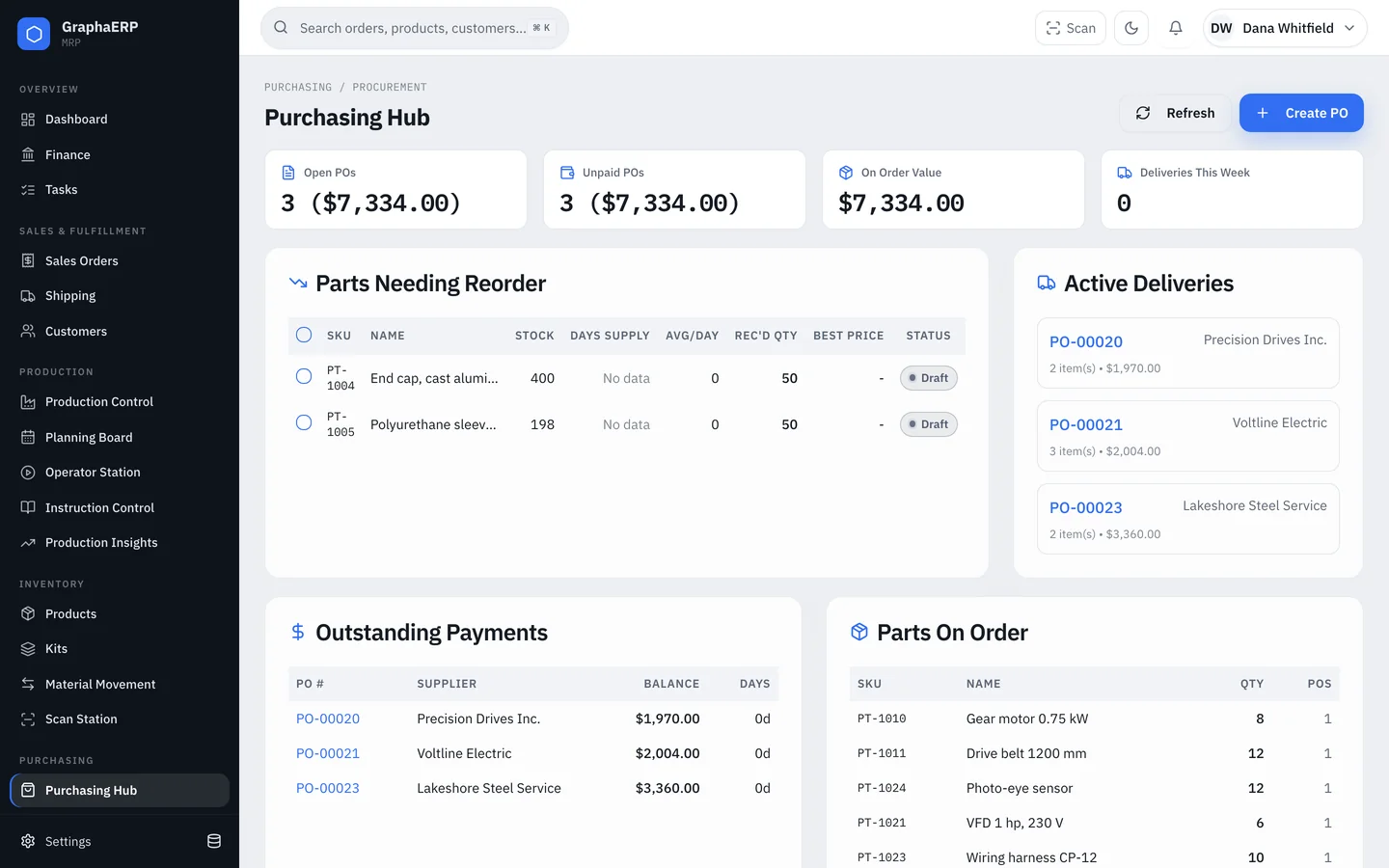
Create a purchase order
Start from Parts needing reorder in the Purchasing Hub or from Purchase Orders → Create PO. New and draft lines default to the supplier from that item's last purchase order; you can change it.
Enter the PO in the supplier's currency with an exchange rate to yours. Choose whether the PDF shows your currency, the supplier's or both.
Statuses
A PO is created as Draft, Released or Ordered. Partial and Received are set by recording receipts — see Receiving.
Approvals
In Settings → Workflows, set an approval threshold and choose approvers. POs above the threshold must be approved by any one approver or by every approver, depending on the rule. Approvers sign, and the signature appears on the PO PDF.
Taxes, tariffs and payment
Record GST, HST and QST, import tariffs and import fees on each PO in your currency. They stay editable after receipt, because customs invoices often arrive later, and they flow into Finance. Mark a PO paid with the invoice number when you pay it.