The planning board
Commit start dates against line capacity with due dates in view.
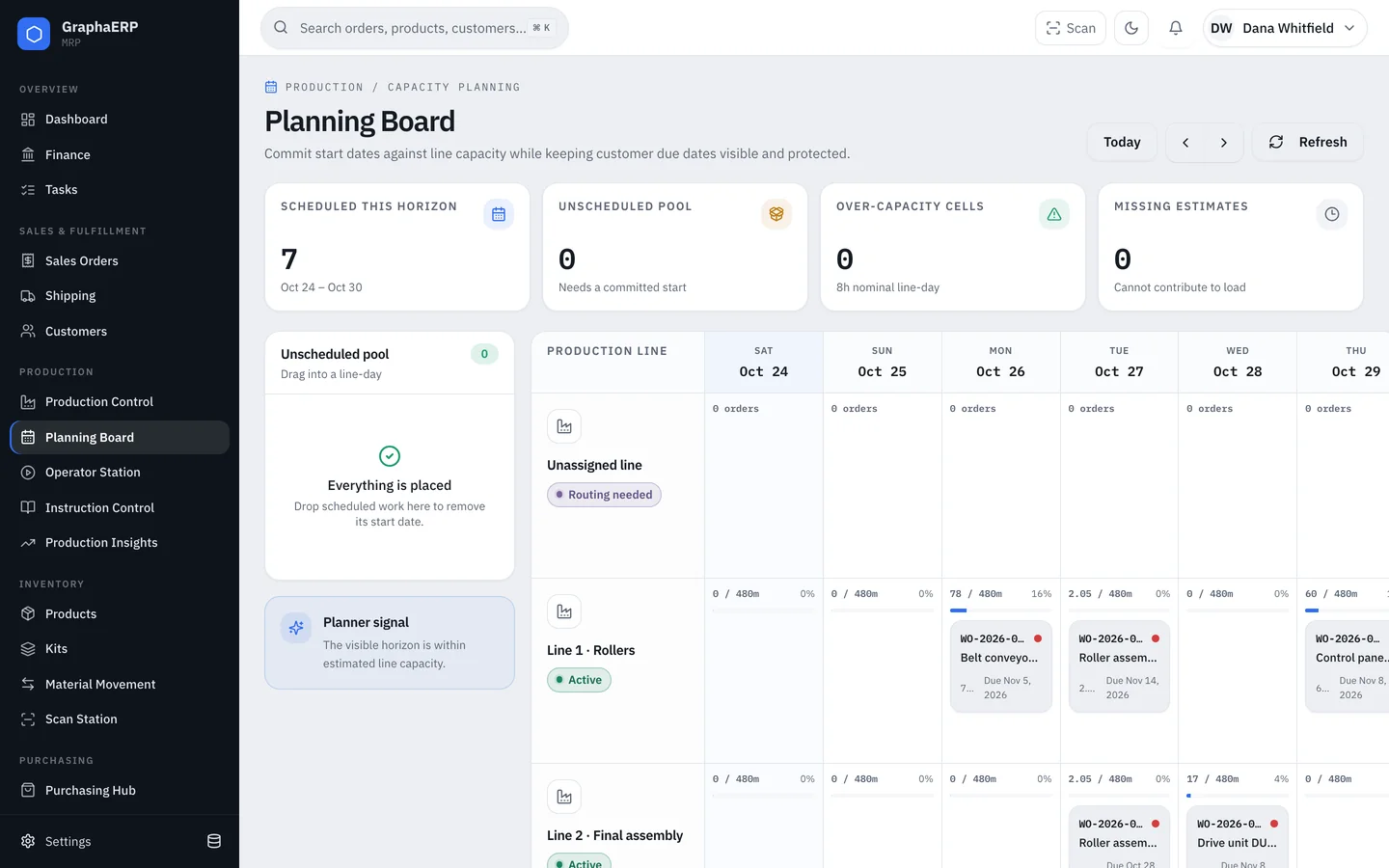
The board shows one week of production lines by day. Each work order sits on the line and day it is scheduled to start, with its customer due date.
- Unscheduled pool — work with no committed start. Drag it into a line-day.
- Load — each line-day shows minutes planned against an 8-hour nominal day; over-capacity cells are flagged.
- Missing estimates — work orders whose instructions have no time estimate can't contribute to load. Add estimates in the builder or let them be learned from completed jobs.
- Outside horizon — active work scheduled before or after the visible week.
Use Today and the arrows to move between weeks. Set up lines in Production Control with Configure lines; each line can be active, in setup, idle or under maintenance.